
How an Online File Converter Keeps Your Files Working Everywhere
Understanding how online file converters handle images, videos, audio, and documents so they stay easy to open, share, and store.

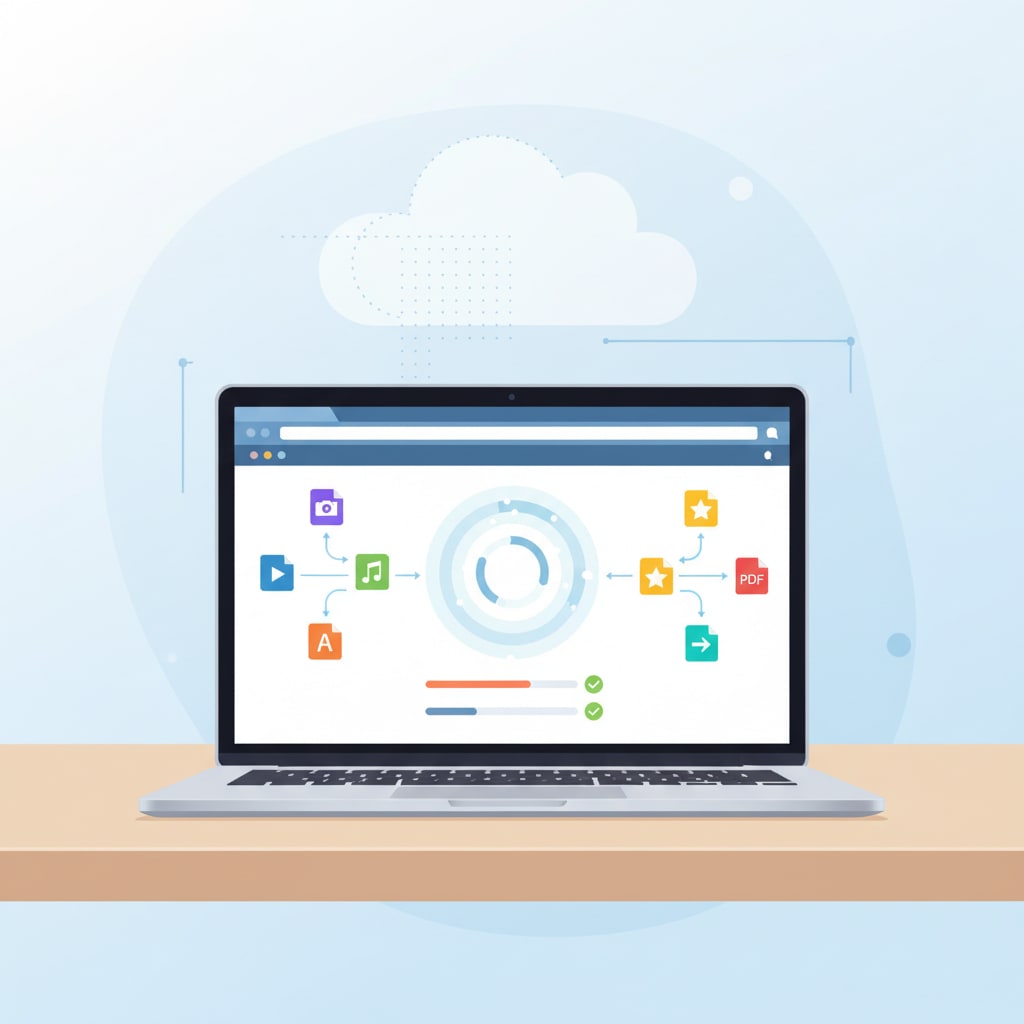
Using digital files today means dealing with many different formats. A photo taken on a phone, a video exported from editing software, a resume written in one office program, or a recording made on a separate device may not always work smoothly on other platforms. An online file converter helps bridge these gaps by changing files into formats that are more widely accepted and easier to manage.
What Is an Online File Converter?
An online file converter is a website that lets you upload a file, choose a different format, and download the converted version. This can be as simple as turning a DOCX document into a PDF, or as involved as changing a large video into a smaller, more compatible file type. Because the conversion runs through a browser, there is no need to install extra software or worry about which operating system you are using.
From a technical point of view, this process is a practical form of data conversion. Data conversion refers to changing data from one format to another so it can be correctly processed by different systems and applications. It can be as small as converting a single file or as large as moving an entire database from one platform to another, but the underlying idea is the same: keep the information while changing its form so it remains usable over time.
Images: Adapting One Picture for Many Uses
Image files are converted frequently because different situations call for different formats and sizes. A high‑resolution image taken by a camera might be ideal for editing or printing, but too large for a website or online form. Common image formats include JPEG, PNG, WEBP, BMP, and TIFF, and each one has its own strengths in terms of compression, quality, and transparency support.
An online file converter allows a single image to be reshaped for multiple needs. A large photo can be converted into a compressed JPEG for faster loading on blogs and social feeds. A graphic that needs a transparent background can be turned into a PNG. Scans or screenshots can be combined into PDFs so they are easier to share or store as documents. This kind of conversion makes it simpler to reuse the same visual content in different contexts without manually adjusting every file in a desktop editor.
Video and Audio: Balancing Size and Compatibility
Video and audio files can be demanding in both size and compatibility. There are several common video containers, such as MP4, MOV, and AVI, and a variety of audio formats including MP3, WAV, and AAC. Not all devices and platforms support each format in the same way, which can lead to playback problems or extra steps when sharing media.
Online file converters help by transcoding these files into formats that tend to work well across browsers, mobile devices, and social platforms. For example, converting a less common video format into MP4 often improves the chances that it will play without issues. Audio recordings can be converted into MP3 or other compressed formats to reduce file size while remaining clear enough for everyday listening. In many cases, users can adjust basic parameters such as resolution or bitrate to strike a balance between quality and size that matches their specific use case.
Documents and PDFs: Reliable Presentation Across Devices
Documents are another key area where online conversion is useful. Office files like text documents, spreadsheets, and presentations are often converted into PDF before being shared or archived. PDFs are designed to preserve layout and fonts so that the document appears the same regardless of device or operating system, which is one reason they are common for reports, application forms, and official communications.
Conversion also works the other way around. When only a PDF is available and edits are needed, online tools can convert it back into an editable format. In addition, images or scans can be turned into PDFs to keep related pages together and make them easier to handle as a single file. Services such as the Adobe Acrobat online tools show how widely used this kind of document conversion has become for both everyday and professional tasks.
How Conversion Fits Into the Larger Data Picture
These everyday conversions of images, media, and documents are part of a larger pattern in computing. Data transformation and data conversion are used whenever information moves between systems, is prepared for analysis, or is stored for long‑term access. The key goal is to keep information useful as software, devices, and standards evolve.
For individual users and small teams, the most visible part of this process is simply getting files to open where and when they are needed. Converting from older or niche formats into common, stable ones reduces the risk that important material will be difficult to access in the future. Guides on data conversion often stress the importance of choosing formats that are widely supported and well documented so that content can be moved, archived, or reused without major obstacles.
Using Online File Converters in Practice
Online converters are practical because they work through a standard web browser. They are useful when you do not have permission to install software, when you are switching between devices, or when you only occasionally need to change formats. A typical workflow might involve uploading one or more files, selecting target formats, and then downloading the new versions once the conversion is complete.
For readers interested in the technical background, reference materials on data conversion and data transformation explain how these familiar file conversions relate to broader processes in information management. They show how changing formats, structures, and encodings supports everything from everyday file sharing to large-scale system integration and long‑term digital preservation.
About the Creator
Md Mehedi Hasan Rifad
Professional SEO Expert
Keep reading
More stories from Md Mehedi Hasan Rifad and writers in Journal and other communities.
How an Online File Converter Makes Everyday Files Easier to Use
Managing digital files today means dealing with many formats, devices, and platforms. A photo that looks perfect on a laptop might be too large for a website, and a document that opens in one office suite may not display correctly in another. An online file converter is a simple way to bridge these gaps by transforming files into formats that are easier to open, share, and store across different environments.
By Md Mehedi Hasan Rifada day ago in Journal
~ Fired ~
— Ai Intrusion ~ Are you Next ~ Is Ai Evolution after your job? — Few workplaces haven't been affected. Ai is in supermarkets, at doctors' offices, and even monitoring farms. I just can't think of anything this machine is not getting into, can you? For instance: Education ~ Law and Tech jobs will one day have a major influence or be taken over by these inanimate machines, with accuracy and vigor. From mechanics' diagnoses to a wide variety of everyday jobs, including fast food workers, with this input having the ability to cut their unnecessary work hours. I'm certain all of us have been touched by this with our short stories and colorful headings, have you? Even comments are very questionable 'Non-Robot' insertions.
By Jay Kantor5 days ago in Journal
Trouble at the Tea Leafing Café
The rain had started right around the time that Annie was buttering her second thick slice of homemade toast for breakfast, and hadn’t paused since. Not that anyone could tell. The windows of the café were fogged over, and with every seat filled with happy customers munching on fresh baked pastries or steaming bowls of the delicious soup of the day, it was hardly surprising. Annie looked around the room, finally taking a moment to breathe after the lunch time rush. Her old life already felt like a bad memory, a part of her history, always, but just that. History.
By Hannah Moore6 days ago in Fiction



Comments
There are no comments for this story
Be the first to respond and start the conversation.