how to
How tos for gamers and video games of all kinds; tricks and techniques to level up and beat your high score.
Black Screen Flash (Reason and How to Fix) – Complete Guide
Black screen flash is one of the most common problems people face on computers, phones, and even TVs. At first, it looks scary because the screen suddenly goes black and then comes back. However, the good news is that most of the time, the issue can be fixed with simple steps. In this guide, we will explain the reasons behind black screen flash and show you how to fix it step by step.
By Perfect Tech Views2 months ago in Gamers
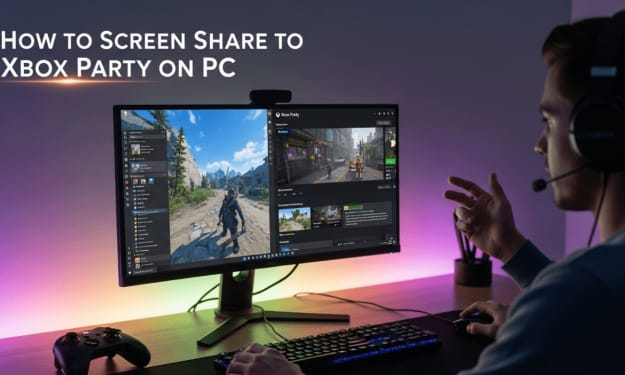
How to Screen Share to Xbox Party on PC: Easy Step‑by‑Step Guide
Short Guide: How to screen share to Xbox party on PC is simple—just open the Xbox app on your Windows computer, start or join a party from the “Social” tab, and then click the “Share Screen” option to broadcast either your entire desktop or a specific window.
By Perfect Tech Views3 months ago in Gamers
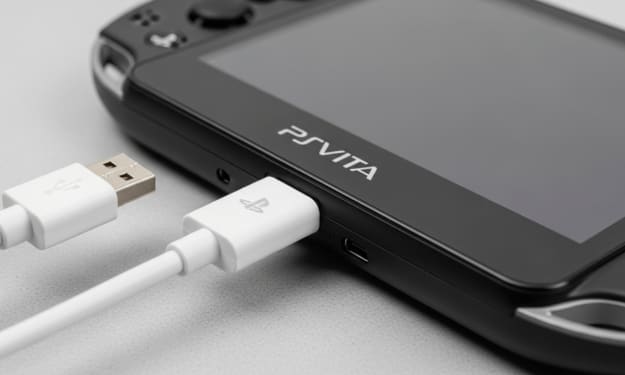
What Charger Does the PS Vita 2000 Use? (Complete Guide for Gamers)
Quick Answer: The PS Vita 2000 uses a standard micro-USB charger, unlike the original PS Vita 1000, which required a proprietary charging cable. This means you can charge the PS Vita 2000 with most micro-USB cables, as long as the power source provides enough output.
By Perfect Tech Views3 months ago in Gamers
Best Gaming Laptop for Sims 4 – Complete Buyer’s Guide
Quick answer: If you plan to use expansions, mods, or custom content. While Sims 4 can run on regular laptops, a gaming laptop for Sims 4, like the Acer Nitro 5, Dell G15, or ASUS ROG Zephyrus G14, ensures smoother graphics, faster loading times, and less lag when neighborhoods grow or multiple Sims are active. Choosing a laptop with at least an Intel i5 or Ryzen 5 processor, 8 GB RAM, and a dedicated GPU such as the NVIDIA GTX 1650 will give you a reliable and enjoyable experience.
By Perfect Tech Views3 months ago in Gamers
Best Expansion Packs Sims 4 – Complete Guide for Players
Quick Answer: The best expansion packs Sims 4 include fan favorites like Seasons, City Living, Cottage Living, Discover University, and Cats & Dogs. These packs add new worlds, careers, pets, and gameplay depth, making them essential for players who want a richer Sims 4 experience.
By Perfect Tech Views3 months ago in Gamers
Best Computer for Sims 4 – Top Picks for Smooth Gameplay
Quick Answer: The best computer for Sims 4 in 2025 is one with a dedicated GPU (like NVIDIA GTX 3050Ti or better), at least 8–16GB RAM, and a modern processor such as Intel i5/i7 or AMD Ryzen 5/7. These specs ensure smooth gameplay even with expansions, mods, and custom content.
By Perfect Tech Views3 months ago in Gamers
Cheap Laptops That Can Run Sims 4 – Budget Picks for Smooth Gameplay
Quick Answer: If you’re searching for cheap laptops that can run Sims 4, you’ll be glad to know that models like the Acer Nitro 5, Lenovo IdeaPad Gaming 3i, and HP Omen 16 are affordable options that handle Sims 4 smoothly, even with mods and expansions.
By Perfect Tech Views3 months ago in Gamers
Battlefield 1 Has Stopped Working – Easy Fixes and Complete Guide
Battlefield 1 Has Stopped Working how to fix? If you are facing this frustrating error, you are not alone. Many players around the world have reported that Battlefield 1 suddenly crashes, freezes, or refuses to launch. This guide will explain why the problem happens and how you can solve it step by step.
By Perfect Tech Views3 months ago in Gamers
How to Master Wordle Unlimited in 2026
Wordle Unlimited is an amazing new version of the original Wordle game, with infinite rounds for endless word-guessing fun. In 2025, mastering this version of Wordle will be a satisfying task as players develop their vocabulary, strategic thinking, and problem-solving abilities. With its expanding popularity, Wordle Unlimited appeals to a wide range of players, from casual hobbyists to competitive gamers.
By Fatima Zaheer3 months ago in Gamers
6 Strategies to Maximize Visual Clarity on Any Gaming Monitor
Your gaming monitor can show much clearer pictures than you see right now. Most players never unlock the full power of their screens. They miss tiny details that could help them win more games. Your enemies appear blurry when they should look sharp. Colors look dull. The good thing is that you can correct all these issues today. This does not require costly equipment or special tools.
By Olivia Barn3 months ago in Gamers
How to Use Festivals and Holidays to Bring Your D&D World to Life
When players enter your world, they expect more than dungeons and dragons—they want a living, breathing setting that feels real. One of the easiest ways to make your world feel alive is by incorporating festivals and holidays into your campaign. Festivals do more than just break up the monotony of travel or combat—they create culture, set tone, and immerse players in your setting’s history.
By Richard Bailey3 months ago in Gamers