
Office 365 Tenant to Tenant Migration Best Practices
Practical steps to plan and execute a smooth tenant-to-tenant migration.
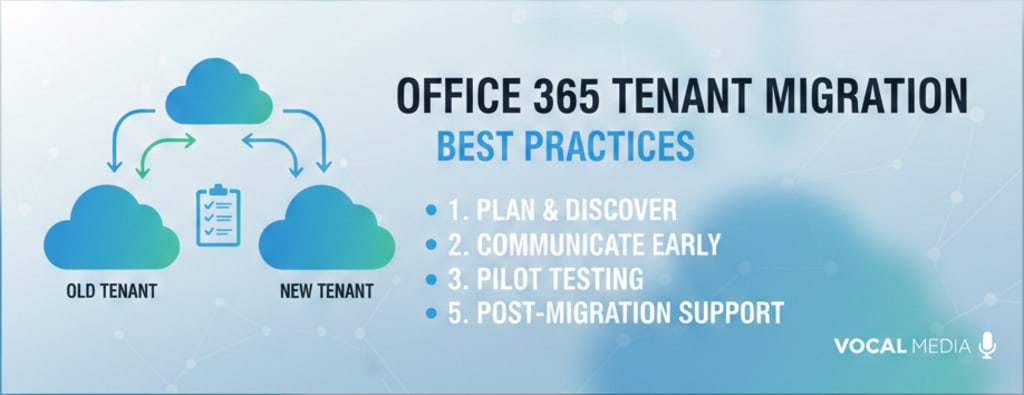
The Office 365 tenant-to-tenant migration task is more than just your mere Office 365 data relocation but it is more about your business and protection of data integrity. When organizations expand, merge, or integrate multiple Office 365 tenants into one, they need to migrate their Office 365 tenant data to another Office 365 tenant. This process is called Office 365 tenant-to-tenant migration.
With this, organizations access their existing/old data in the new tenant without any loss/business disruption. Today, we will go through the reasons and best practices for Office 365 tenant-to-tenant migration from pre-migration to post-migration.
Reasons for Office 365 Tenant to Tenant Migration
Here are some compelling reasons why the organizations foresees Office 365 tenant-to-tenant migration:
- Splitting off parts of the business.
- The need for organizational mergers and acquisitions
- Establish a different Office 365 environment.
- Need to follow the rebranding strategy.
- Store data into specially designed tenants for compliance reasons.
Why Must One Know the Best Office 365 Tenant-to-Tenant Migration Practice?
Office 365 Tenant to Tenant migration is not just your mailbox data migration to a new tenant. It includes email, OneDrive files, SharePoint data, etc., with other important components. If something goes wrong, issues like chat disappearance, vanished meetings, permission loss, etc. occur and halt the businesses.
An Office 365 tenant-to-tenant migration is a big task. Admin have to map users, assign licenses, keep permissions intact, etc., along with smooth migration, so that the users can work without interruption. That's why Office 365 tenant-to-tenant migration requires a fair amount of planning and the right approach with strong execution.
Step-by-Step Office 365 Tenant-to-Tenant Migration Practices
Here are the efficient practices that admins need to follow when migrating an Office 365 tenant to tenant. These are:
Step 1: Pre-migration Assessment
Before you pick any mailbox, do a complete assessment. For this, check the tenant size, structure, no. of users, domain names, DNS records, third-party apps, licenses with compliance & regulatory policies.
Also, remove unnecessary/old data from the tenant. Doing all the above checks builds the foundation of an effective Office 365 tenant to transform migration, along with early issue identification.
Step 2: Create a Detailed Migration Plan
An effective Office 365 tenant-to-tenant migration is impossible without proper planning and execution. Here are a few points:
- Create a project timeline to complete the migration within the time.
- Communicate with end users and provide support if needed.
- Set the parameter to validate migration sustainability.
- Make a rollback strategy in case of failure/inconvenience
- Prepare the destination Office 365 tenant to make the migration uninterrupted and smooth.
Step 3: Opt for the Perfect Migration Method
There are many ways (including native and third-party solutions) that migrate one Office 365 tenant to another. However, organisations/individuals have different needs and goals that they fulfil with Office 365 tenant migration.
Native methods require consecutive steps, like setting Azure AD apps with API permissions in the target tenants, with many others. But the third-party Office 365 tenant-to-tenant migration tool simplifies the process by handling mailboxes, OneDrive, SharePoint, etc., with built-in mapping features effectively. So choose between a native solution and do a trial migration to check whether the migration methods are giving satisfactory results or not.
Step 4: Start Full Migration
Once the migration method is chosen and the results are satisfactory, perform the full migration. Map users with permissions carefully because any mistake may result in full access to tenant data. Don’t let anything disrupt your Office 365 tenant-to-tenant migration. Try to do it at weekends or non-working hours, which may be helpful to the main business continuity.
Step 5: Analyze Post Migration
The Office 365 tenant migration is incomplete without effective post-migration checks. Do mail flow testing, check user access validations, check mailbox components integrity, etc, in the target tenants after migration. Also, monitor the destination tenant for 7 to 10 days and analyse the users' feedback and system behaviour.
Benefits of Successful Office 365 Tenant Migration
A successful Office 365 migration tenant to tenant offers many benefits to the business. Some of these are listed below:
- Better collaboration and higher productivity
- Centralized monitoring and management.
- Smooth governance across the organisation.
- Absolute user experience with the tenant environment.
Final Say
The Office 365 tenant to tenant migration becomes more effective with the best practices. However, the reasons could be anything for Office 365 migration, but the strategy should be more effective. A perfect audit for source tenants, choosing the right Office 365 tenant to tenant migration and post migration check makes the task more effective.
About the Creator
Claire Bowen
Tech-savvy and detail-driven, Claire shares insights on Microsoft 365, email migrations, and smart tools. Loves streamlining workflows as much as she loves coffee and a well-organized workspace.
Keep reading
More stories from Claire Bowen and writers in Journal and other communities.
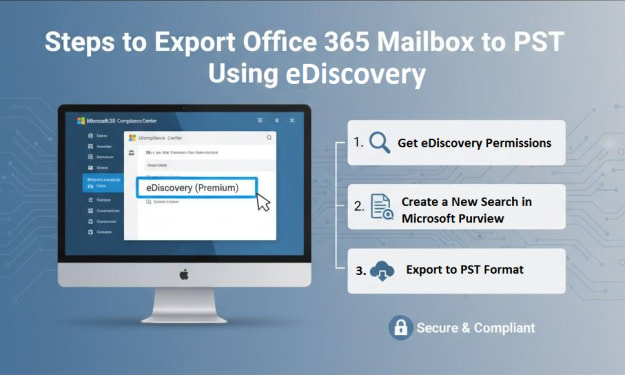
How to Export Office 365 Mailbox to PST Using eDiscovery?
If you’re working in an organization that relies on Office 365, you might know the email data, mailbox size, and its importance. For various reasons, you might need to export Office 365 mailbox to PST file, but the manual way can be complex and time-consuming.
By Claire Bowen4 months ago in Journal
Wireless EV Charging Market: The Road Without Cables
You pull into a parking space at the airport. Instead of reaching for a cable, the car glides into position and begins charging with no physical connection. No cables to plug in. No fumbling after a long day. Just a silent flow of energy beneath your wheels.
By james robert3 days ago in Journal
from death into life
Young Aldin of Wiloh had never contemplated death. It was almost strange — so many around him had the tendency to obsess over it, to clamor and claw almost desperately at their own perceptions of the end to know death as much as they could: when it would come, why it would come, where it would take them when it did.
By angela hepworth7 days ago in Fiction



Comments
There are no comments for this story
Be the first to respond and start the conversation.