
How I Minimized My Digital Shadow Without Disappearing From the Internet
A practical, step-by-step look at how I reduced online exposure, cleaned up old data, and took control of my privacy without going offline.

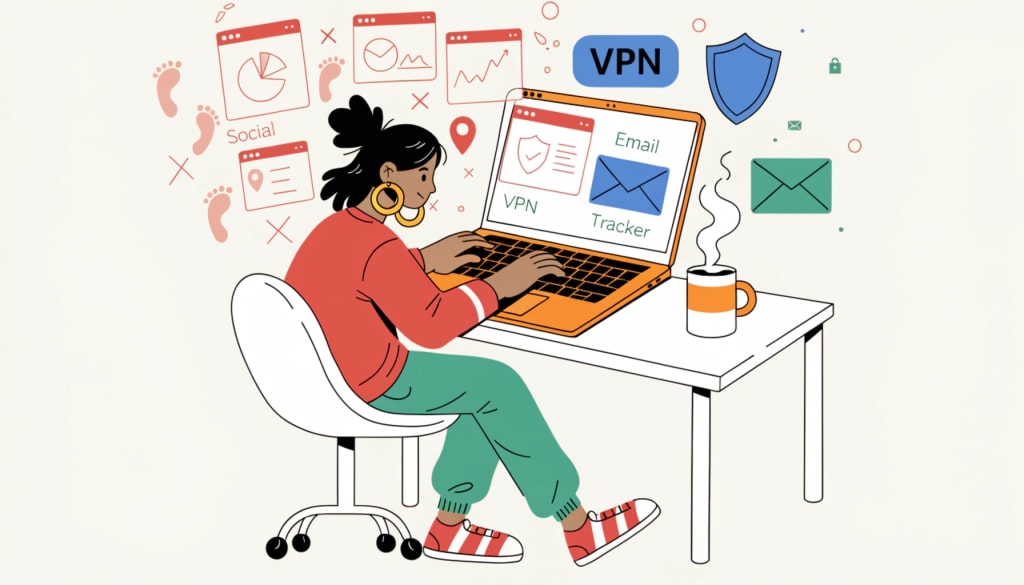
A few months ago, I did something uncomfortable.
I searched my own name.
Not just on Google. I checked social media platforms, old forums, public directories, and even usernames I used years ago. I searched my email address. I searched my phone number. I wanted to see what someone else could see.
What I found was not dramatic. It was not some big data breach headline.
It was something worse.
It was normal.
My information was scattered across websites I barely remembered. Old accounts were still active. Some services were tracking my activity quietly in the background. Nothing illegal. Nothing extreme. Just years of small digital traces stacking on top of each other.
That was the moment I decided to reduce my digital shadow. Not disappear. Not go offline. Just take back control.
In this post, I will walk you through exactly what I did and what actually made a difference.
What a Digital Shadow Really Means
Before I changed anything, I had to understand the problem clearly.
A digital shadow is not just your social media posts. It is the data trail you leave behind every time you sign up for a service, accept cookies, connect to public WiFi, download an app, or even browse casually. Some of this information is shared intentionally. A lot of it is collected automatically in the background.
Most people think privacy is about hiding something. I do not see it that way. Privacy is about control. It is about deciding what is visible, what is stored, and who has access to it.
Once I understood that, everything else made more sense.
Auditing Myself Like an Attacker Would
I approached this like a cybersecurity exercise.
If someone wanted to profile me, what would they find?
I searched my full name and common variations. I checked old usernames across different platforms. I ran my email through breach-checking services to see where it had appeared in past data leaks.
This process was eye-opening. I found accounts I had not logged into for years. Some still had personal details attached to them. Others were inactive but still visible online.
If you are serious about reducing your digital footprint, you must first see it clearly.
Cleaning Up Old Accounts and Unused Services
After the audit, I started cleaning up.
I logged into every old account I could recover and deleted what I no longer needed. Where full deletion was not possible, I removed personal details and replaced them with minimal information before closing access.
This step took time, but it immediately reduced the amount of unnecessary data stored under my name. The less information available, the lower the risk if a service gets breached in the future.
It sounds simple, but most people never do this.
Fixing My Social Media Exposure
I was not oversharing sensitive content, but small details add up.
I removed my phone number from public visibility. I hid my birth date. I adjusted privacy settings so only trusted connections could see my posts. I also reviewed older posts and removed location tags that were no longer necessary.
One important lesson here is that privacy settings are not permanent. Platforms update policies quietly. You need to review your settings regularly instead of assuming they stay the same.
Changing How I Browse the Internet
Next, I improved my browser setup.
I moved to a browser configuration that blocks trackers by default and installed privacy-focused extensions that limit third-party scripts and reduce fingerprinting techniques. More importantly, I started separating my browsing activity by using different browser profiles for work, personal use, and testing.
That separation alone reduced how easily websites could connect different parts of my online behavior.
It is a small technical change, but it makes a real difference over time.
Using a VPN Consistently
Another important step was using a VPN every time I connect to the internet, especially on public WiFi.
Your IP address reveals more than most people realize. It can show your general location and is often logged by websites and online services. Reducing direct IP-based tracking was a practical step for me.
I personally use Surfshark because it is affordable and allows unlimited devices, which is helpful when you work across multiple systems.
A VPN does not make you invisible. It does not erase your footprint. But it adds an extra layer of privacy and makes tracking slightly harder.
In cybersecurity, small layers matter.
Separating My Email Accounts
In the past, I used one main email address for almost everything. That was a mistake.
Now I separate accounts by purpose. One email is strictly for financial and critical services. Another is for social media. A third is used for newsletters, downloads, and random signups.
This separation reduces the impact of data breaches. If one email is exposed, it does not automatically compromise everything else connected to my identity.
Compartmentalization is a powerful security habit.
Removing My Information From Data Brokers
This was one of the most time-consuming steps.
Data broker companies collect and sell personal information gathered from public records and online activity. I searched for my details on major broker platforms and submitted opt-out requests wherever possible.
Some processed my request quickly. Others required identity verification. It was not convenient, but it significantly reduced how easily someone could profile me through basic searches.
Reducing your exposure in these databases lowers the risk of unwanted profiling and targeted scams.
Securing My Devices
I also reviewed my physical devices.
Old phones and laptops often contain cached sessions, saved passwords, and personal files. I factory reset devices I no longer use. On active systems, I enabled full-disk encryption and carefully reviewed app permissions. I also disabled ad tracking identifiers on my smartphone.
Sometimes your digital shadow is not floating in the cloud. It is sitting in your drawer.
The Biggest Change Was My Mindset
Tools help. Settings help. VPNs help.
But the most important change was mental.
Now, before I sign up for a service, I ask myself if I truly need it. Before downloading an app, I review the permissions it requests. Before posting something online, I pause and consider whether I would be comfortable with it staying public long term.
That simple pause has prevented many unnecessary exposures.
Minimizing your digital shadow is not about paranoia. It is about being intentional.
Final Thoughts
After all these changes, I did not disappear from the internet. I still run TerminalTools. I still engage online. I still use modern services.
But I noticed fewer spam emails. Less aggressive targeted advertising. More control over my data. And more confidence when using public networks.
You do not need extreme measures to improve your privacy. Start with an audit. Remove what you do not need. Adjust your settings. Use tools wisely. Build better habits.
Privacy is not a one-time setup. It is an ongoing practice.
If this post helped you think differently about your digital footprint, follow TerminalTools for more simple and practical cybersecurity guidance. And share this with someone who believes they have nothing to protect.
We all leave traces online. The real question is whether we manage them or ignore them.
About the Creator
Stephano kambeta
I specialize in breaking down complex cybersecurity trends into actionable privacy steps for everyday users and small businesses. My goal is to help you stay safe in an increasingly connected world.
Keep reading
More stories from Stephano kambeta and writers in Education and other communities.
Inside the Selection Process: How the Forbes Best Teams List Recognizes Excellence
The selection process for the Forbes Best Teams List aims to identify organizations that demonstrate consistent teamwork, measurable performance, and strong workplace culture. Moreover, the process evaluates how effectively teams collaborate to achieve results over time. Because excellence depends on both outcomes and organizational health, the evaluation looks beyond short-term success to sustained impact.
By Daniel Ladner6 days ago in Education
Why Gold Prices Fluctuate: A Comprehensive Guide to Market Drivers
Gold has long symbolized stability, yet its market value can change quickly. Investors often associate it with safety, but gold price volatility remains a consistent feature of the financial landscape. Prices respond to shifting economic signals, global events, and investor expectations. Therefore, understanding what drives these movements helps investors make smarter and more strategic decisions.
By George Drazenovica day ago in Education


Comments
There are no comments for this story
Be the first to respond and start the conversation.