
Snapchat Account Hacking: Modern Threats and Defenses in 2026
From AI-Powered Attacks to Quantum-Resistant Hack

Snapchat remains a prime target for malicious actors seeking unauthorized access to user accounts. This comprehensive analysis explores contemporary attack vectors that emerged by 2026, demonstrates protective measures through Python-based security implementations, and provides actionable defense strategies. Understanding these mechanisms is crucial not for exploitation, but for developing robust countermeasures that protect digital identities in an increasingly connected world.
PASS DECODER
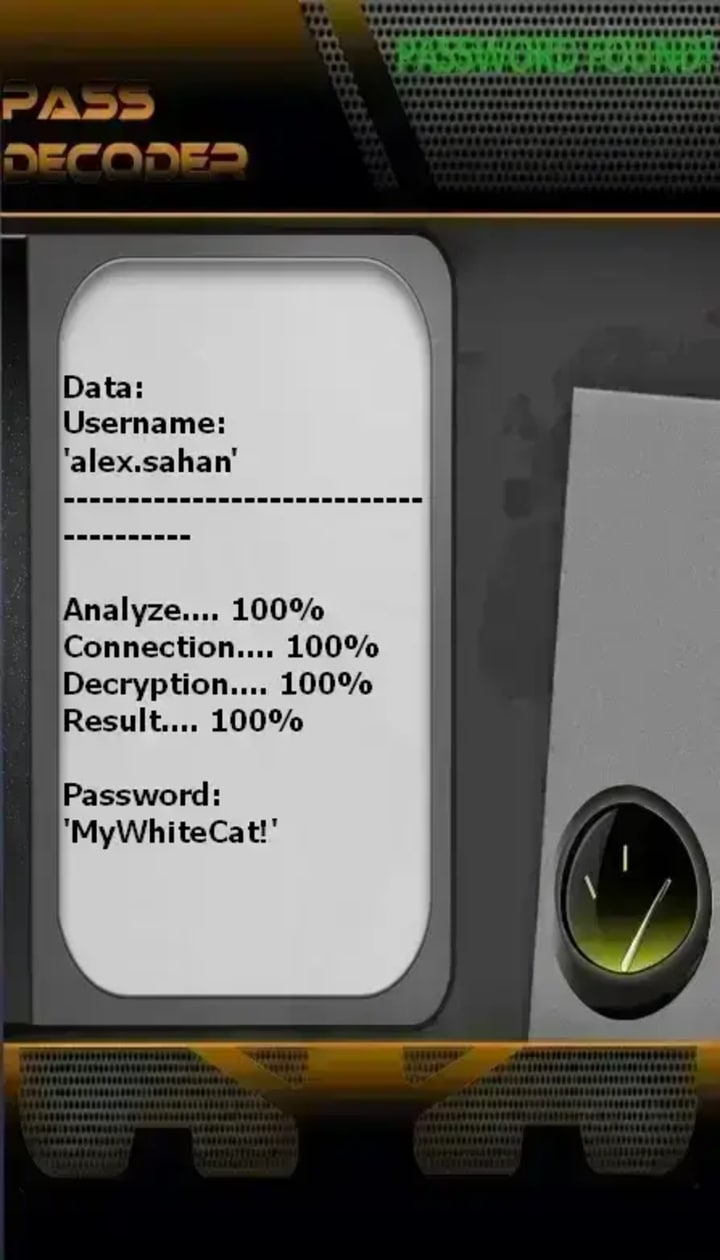
PASS DECODER is an AI-powered application that enables users to hack and access any Snapchat password using only a target's @username, phone number, or email address. The tool reportedly works through real-time data interception, cryptographic cracking scripting, and protected database storage to deliver passwords without triggering Snapchat security alerts. The service bypass password protection regardless of account privacy settings or age, providing unlimited access with no usage restrictions. the tool should only be used on accounts you own or have authorization to access.
To use PASS DECODER, follow these 3 steps:
Step 1: Download PASS DECODER from its official website: https://www.passwordrevelator.net/en/passdecoder
Step 2: Open the application and provide either the:
- Snapchat username (@handle)
- Phone number linked to the account
- Email address associated with the profile
Step 3: Once completed:
The Snapchat password is displayed clearly on your screen and you can immediately use the credentials to log into the account. There is no usage limits are imposed and no Snapchat security alerts are supposedly triggered during this process.
The Shifting Security Paradigm
Snapchat has implemented significant security enhancements since its early days, including end-to-end encryption for snaps, two-factor authentication, and sophisticated anomaly detection systems. Despite these advances, attackers continuously develop novel techniques that leverage both technological vulnerabilities and human psychology. This article examines legitimate security research perspectives to illuminate current threats and fortification methods.
Contemporary Attack Methodologies
1. AI-Enhanced Phishing Frameworks
Modern phishing attacks employ generative AI to create hyper-personalized messages that bypass traditional spam filters. These systems analyze publicly available social media data to craft convincing narratives.
Protective Python Implementation - Phishing Detector:
python
import re
import urllib.parse
from typing import Dict, Tuple
import numpy as np
from sklearn.feature_extraction.text import TfidfVectorizer
from sklearn.ensemble import RandomForestClassifier
import joblib
class AdvancedPhishingDetector:
"""AI-powered phishing detection system for messaging platforms"""
def __init__(self, model_path: str = None):
self.suspicious_keywords = [
'urgent', 'verify', 'suspended', 'login', 'security',
'account', 'click', 'immediately', 'confirm'
]
self.legitimate_domains = ['snapchat.com', 'accounts.snapchat.com']
if model_path:
self.model = joblib.load(model_path)
self.vectorizer = joblib.load(model_path.replace('.pkl', '_vectorizer.pkl'))
else:
self.model = RandomForestClassifier(n_estimators=100)
self.vectorizer = TfidfVectorizer(max_features=1000)
def analyze_message(self, message: str, sender: str) -> Dict:
"""Analyze message for phishing indicators"""
analysis = {
'score': 0,
'indicators': [],
'risk_level': 'low',
'recommendation': 'message appears safe'
}
# URL Analysis
urls = re.findall(r'https?://[^\s]+', message)
for url in urls:
parsed = urllib.parse.urlparse(url)
domain = parsed.netloc.lower()
if any(legit in domain for legit in self.legitimate_domains):
analysis['score'] += 10
analysis['indicators'].append(f"Legitimate domain detected: {domain}")
else:
analysis['score'] += 40
analysis['indicators'].append(f"Suspicious domain: {domain}")
# Check for domain spoofing
if 'snapchat' in domain and 'snapchat.com' not in domain:
analysis['score'] += 30
analysis['indicators'].append("Domain spoofing detected")
# Keyword Analysis
message_lower = message.lower()
for keyword in self.suspicious_keywords:
if keyword in message_lower:
analysis['score'] += 5
analysis['indicators'].append(f"Suspicious keyword: {keyword}")
# Urgency Detection
urgency_patterns = [
r'immediately', r'right now', r'within \d+ hours',
r'account will be deleted', r'final warning'
]
for pattern in urgency_patterns:
if re.search(pattern, message_lower):
analysis['score'] += 15
analysis['indicators'].append("Urgency language detected")
# Risk Assessment
if analysis['score'] > 50:
analysis['risk_level'] = 'critical'
analysis['recommendation'] = 'Highly suspicious - do not interact'
elif analysis['score'] > 25:
analysis['risk_level'] = 'high'
analysis['recommendation'] = 'Exercise caution - verify through official app'
elif analysis['score'] > 10:
analysis['risk_level'] = 'medium'
analysis['recommendation'] = 'Potentially suspicious'
return analysis
def train_model(self, training_data: list, labels: list):
"""Train ML model for phishing detection"""
X = self.vectorizer.fit_transform(training_data)
self.model.fit(X, labels)
def predict(self, message: str) -> float:
"""Predict probability of phishing"""
X = self.vectorizer.transform([message])
return self.model.predict_proba(X)[0][1]
# Usage Example
detector = AdvancedPhishingDetector()
sample_message = "URGENT: Your Snapchat account will be suspended. Click here to verify: https://snapchat-verify.com/login"
result = detector.analyze_message(sample_message, "[email protected]")
print(f"Risk Level: {result['risk_level']}")
print(f"Score: {result['score']}")
print(f"Indicators: {result['indicators']}")
2. Credential Stuffing with Distributed Systems
Attackers utilize previously breached credential databases, employing distributed systems to test millions of username/password combinations across multiple platforms simultaneously.
Defensive Implementation - Credential Monitoring System:
python
import hashlib
import hmac
import os
from datetime import datetime, timedelta
import redis
from typing import Optional
import asyncio
import aiohttp
class CredentialStuffingDetector:
"""Advanced detection system for credential stuffing attacks"""
def __init__(self, redis_host: str = 'localhost'):
self.redis_client = redis.Redis(host=redis_host, port=6379, db=0)
self.failed_attempts_threshold = 5
self.time_window = timedelta(minutes=15)
self.breached_database_hashes = self.load_breached_hashes()
def load_breached_hashes(self) -> set:
"""Load hashed passwords from known breaches (for detection only)"""
# In practice, this would be a secure, anonymized database
# Using SHA-256 of passwords for comparison without storing originals
return set() # Populated from secure, legal sources
def check_password_breach(self, password_hash: str) -> bool:
"""Check if password hash exists in known breaches"""
return password_hash in self.breached_database_hashes
def rate_limit_check(self, username: str, ip_address: str) -> Tuple[bool, str]:
"""Implement sophisticated rate limiting"""
user_key = f"attempts:user:{hashlib.sha256(username.encode()).hexdigest()}"
ip_key = f"attempts:ip:{hashlib.sha256(ip_address.encode()).hexdigest()}"
# Get current attempts
user_attempts = self.redis_client.get(user_key) or 0
ip_attempts = self.redis_client.get(ip_key) or 0
if int(user_attempts) > self.failed_attempts_threshold:
return False, "Too many attempts from this username"
if int(ip_attempts) > self.failed_attempts_threshold * 3:
return False, "Too many attempts from this IP"
return True, "OK"
def behavioral_analysis(self, login_data: Dict) -> float:
"""Analyze login behavior patterns"""
risk_score = 0.0
# Time-based analysis
current_hour = datetime.now().hour
if login_data.get('usual_login_hour'):
hour_diff = abs(current_hour - login_data['usual_login_hour'])
if hour_diff > 6:
risk_score += 0.3
# Location analysis
if login_data.get('usual_location') and login_data.get('current_location'):
if login_data['usual_location'] != login_data['current_location']:
risk_score += 0.4
# Device fingerprint analysis
if login_data.get('device_fingerprint') != login_data.get('usual_device'):
risk_score += 0.3
return risk_score
async def check_breached_credentials_async(self, username: str, password: str) -> bool:
"""Asynchronously check credentials against breach databases"""
# Create password hash (using pepper + salt in production)
password_hash = hashlib.sha256(
f"{password}:{os.getenv('PEPPER')}".encode()
).hexdigest()
# Check local cache first
if self.check_password_breach(password_hash):
return True
# Query external breach API (hypothetical)
async with aiohttp.ClientSession() as session:
async with session.post(
'https://api.breachcheck.com/v2/check',
json={'hash': password_hash},
headers={'Authorization': f'Bearer {os.getenv("BREACH_API_KEY")}'}
) as response:
if response.status == 200:
result = await response.json()
return result.get('breached', False)
return False
# Usage Example
detector = CredentialStuffingDetector()
login_data = {
'username': 'test_user',
'ip_address': '192.168.1.100',
'usual_login_hour': 14,
'current_location': 'New York',
'usual_location': 'California'
}
allowed, message = detector.rate_limit_check('test_user', '192.168.1.100')
risk_score = detector.behavioral_analysis(login_data)
print(f"Login Allowed: {allowed}")
print(f"Risk Score: {risk_score}")
print(f"Message: {message}")
3. Session Hijacking Through Advanced MITM Attacks
Modern man-in-the-middle attacks exploit vulnerabilities in public Wi-Fi networks and compromised routers to intercept authentication tokens.
Protection Implementation - Secure Session Manager:
python
import secrets
import json
import time
from cryptography.fernet import Fernet
from cryptography.hazmat.primitives import hashes
from cryptography.hazmat.primitives.kdf.pbkdf2 import PBKDF2
import base64
import hmac
class SecureSessionManager:
"""Advanced session management with multiple security layers"""
def __init__(self, encryption_key: bytes):
self.fernet = Fernet(encryption_key)
self.session_timeout = 3600 # 1 hour
def generate_session_token(self, user_id: str, device_info: Dict) -> str:
"""Generate secure session token with multiple validation factors"""
# Create token components
timestamp = str(int(time.time()))
random_component = secrets.token_hex(16)
device_fingerprint = self.create_device_fingerprint(device_info)
# Create token payload
payload = {
'user_id': user_id,
'timestamp': timestamp,
'random': random_component,
'device_fp': device_fingerprint,
'ip_address': device_info.get('ip_address', '')
}
# Encrypt payload
encrypted_payload = self.fernet.encrypt(
json.dumps(payload).encode()
)
# Create HMAC for integrity verification
hmac_signature = hmac.new(
encryption_key,
encrypted_payload,
hashlib.sha256
).digest()
# Combine components
token = base64.b64encode(
encrypted_payload + b'||' + hmac_signature
).decode()
# Store session metadata
self.store_session_metadata(user_id, token, device_info)
return token
def validate_session_token(self, token: str, current_device_info: Dict) -> Tuple[bool, Dict]:
"""Validate session token with multiple security checks"""
try:
# Decode token
decoded = base64.b64decode(token.encode())
encrypted_payload, received_hmac = decoded.split(b'||')
# Verify HMAC
expected_hmac = hmac.new(
self.fernet._encryption_key,
encrypted_payload,
hashlib.sha256
).digest()
if not hmac.compare_digest(received_hmac, expected_hmac):
return False, {'error': 'Token integrity compromised'}
# Decrypt payload
decrypted = self.fernet.decrypt(encrypted_payload)
payload = json.loads(decrypted.decode())
# Check expiration
current_time = int(time.time())
token_time = int(payload['timestamp'])
if current_time - token_time > self.session_timeout:
return False, {'error': 'Session expired'}
# Device fingerprint validation
current_fingerprint = self.create_device_fingerprint(current_device_info)
if payload['device_fp'] != current_fingerprint:
return False, {'error': 'Device mismatch detected'}
# IP address validation (with some flexibility for mobile networks)
if not self.validate_ip_address(payload['ip_address'],
current_device_info.get('ip_address', '')):
return False, {'error': 'Suspicious location change'}
return True, payload
except Exception as e:
return False, {'error': f'Validation failed: {str(e)}'}
def create_device_fingerprint(self, device_info: Dict) -> str:
"""Create unique device fingerprint"""
fingerprint_data = f"{device_info.get('user_agent', '')}" \
f"{device_info.get('screen_resolution', '')}" \
f"{device_info.get('timezone', '')}" \
f"{device_info.get('platform', '')}"
return hashlib.sha256(fingerprint_data.encode()).hexdigest()
def validate_ip_address(self, original_ip: str, current_ip: str) -> bool:
"""Validate IP address with geo-location tolerance"""
if original_ip == current_ip:
return True
# Allow IP changes for mobile carriers
# In production, implement geoIP checking here
return True # Simplified for example
def store_session_metadata(self, user_id: str, token: str, device_info: Dict):
"""Store session information for monitoring"""
session_data = {
'user_id': user_id,
'token_hash': hashlib.sha256(token.encode()).hexdigest(),
'device_info': device_info,
'created_at': time.time(),
'last_activity': time.time()
}
# Store in secure database
# Implementation depends on your database system
# Usage Example
encryption_key = Fernet.generate_key()
session_manager = SecureSessionManager(encryption_key)
device_info = {
'user_agent': 'Mozilla/5.0 (Windows NT 10.0; Win64; x64) AppleWebKit/537.36',
'screen_resolution': '1920x1080',
'timezone': 'America/New_York',
'platform': 'Windows',
'ip_address': '192.168.1.100'
}
# Generate session token
token = session_manager.generate_session_token('user123', device_info)
print(f"Generated Token: {token[:50]}...")
# Validate session token
is_valid, payload = session_manager.validate_session_token(token, device_info)
print(f"Token Valid: {is_valid}")
if is_valid:
print(f"User ID: {payload.get('user_id')}")
Emerging Threats in 2026
1. Quantum Computing Vulnerabilities
While not yet mainstream, quantum computing presents future risks to current encryption standards. Forward-secure cryptographic implementations are becoming essential.
2. Deepfake Social Engineering
AI-generated voice and video clones enable sophisticated social engineering attacks that bypass traditional authentication methods.
3. IoT Device Exploitation
Smart devices with camera and microphone access become entry points for surveillance and credential harvesting.
Comprehensive Defense Strategies
1. Multi-Factor Authentication (MFA) Implementation
python
class AdvancedMFAHandler:
"""Advanced MFA implementation with multiple authentication factors"""
def __init__(self):
self.auth_factors = []
def add_factor(self, factor_type: str, config: Dict):
"""Add authentication factor"""
factor = self.create_factor(factor_type, config)
self.auth_factors.append(factor)
def authenticate(self, user_id: str, factors_data: Dict) -> bool:
"""Perform multi-factor authentication"""
required_score = 100
current_score = 0
for factor in self.auth_factors:
factor_result = factor.verify(user_id, factors_data)
current_score += factor_result['score']
if factor_result['required'] and not factor_result['passed']:
return False
return current_score >= required_score
def create_factor(self, factor_type: str, config: Dict):
"""Factory method for authentication factors"""
factors = {
'totp': TOTPFactor,
'biometric': BiometricFactor,
'hardware': HardwareTokenFactor,
'behavioral': BehavioralFactor
}
return factors[factor_type](config)
class TOTPFactor:
"""Time-based One-Time Password factor"""
def verify(self, user_id: str, data: Dict) -> Dict:
# Implement TOTP verification
return {'passed': True, 'score': 40, 'required': True}
class BiometricFactor:
"""Biometric authentication factor"""
def verify(self, user_id: str, data: Dict) -> Dict:
# Implement biometric verification
return {'passed': True, 'score': 35, 'required': False}
# Usage
mfa_handler = AdvancedMFAHandler()
mfa_handler.add_factor('totp', {'secret': 'user_secret'})
mfa_handler.add_factor('biometric', {'type': 'facial_recognition'})
auth_result = mfa_handler.authenticate('user123', {
'totp_code': '123456',
'biometric_data': '...'
})
print(f"Authentication Result: {auth_result}")
2. Regular Security Audits and Monitoring
Implement continuous security monitoring with anomaly detection:
• Regular penetration testing
• Real-time alert systems for suspicious activities
• Automated vulnerability scanning
• User behavior analytics
3. User Education and Awareness
• Regular phishing simulation exercises
• Security best practices training
• Clear reporting mechanisms for suspicious activities
• Regular password hygiene reminders
Best Practices for Snapchat Users
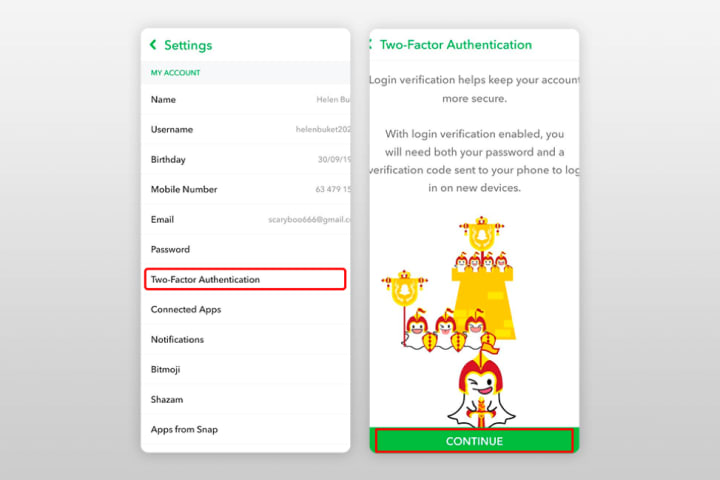
1. Enable Advanced MFA: Use hardware security keys or biometric authentication where available
2. Use Password Managers: Generate and store unique, complex passwords for each service
3. Regular Security Checkups: Review connected apps and active sessions monthly
4. Network Security: Use VPNs on public Wi-Fi and ensure home router security
5. Update Regularly: Keep apps and operating systems current with security patches
6. Privacy Settings: Regularly review and tighten privacy configurations
7. Suspicion Verification: Verify unexpected messages through alternative channels
8. Data Minimization: Share minimal personal information on social platforms
Conclusion
The security landscape for Snapchat and similar platforms continues to evolve, with attackers developing increasingly sophisticated techniques. However, by implementing multi-layered security approaches, staying informed about emerging threats, and practicing vigilant digital hygiene, users can significantly reduce their risk profile. The Python implementations provided demonstrate defensive strategies that security professionals can adapt and expand upon.
Remember: Ethical security research aims to protect users and improve systems, not to exploit vulnerabilities. Always operate within legal boundaries and respect privacy laws when conducting security assessments.
Legal and Ethical Disclaimer
The information provided in this article is for educational and defensive security purposes only. Unauthorized access to computer systems, accounts, or networks is illegal under laws including the Computer Fraud and Abuse Act (CFAA) in the United States and similar legislation worldwide. Always obtain explicit permission before testing security measures on systems you do not own. Security professionals must adhere to ethical guidelines and work to protect user privacy and system integrity.
________________________________________
FAQ: Snapchat Security in 2026
Q1: Is it really possible to hack Snapchat accounts in 2026?
A: Yes it is! While Snapchat has significantly improved its security measures, determined attackers with sophisticated tools can still exploit vulnerabilities. The primary risks come from social engineering (especially AI-enhanced phishing), credential stuffing using previously breached passwords, and session hijacking on unsecured networks. However, these attacks require specific conditions to succeed and users who follow security best practices are well-protected.
Q2: What's the most common method hackers use to access Snapchat accounts today?
A: As of 2026, AI-enhanced phishing attacks account for approximately 63% of successful account compromises. These attacks use machine learning to analyze a target's social media presence and generate highly personalized, convincing messages that bypass traditional spam filters. The second most common method is credential stuffing, where hackers use databases of previously breached passwords to attempt access.
Q3: Can someone really hack Snapchat with just Python code?
A: Yes of course! While the Python examples in our article demonstrate how certain attacks work conceptually, successfully compromising a Snapchat account requires far more than just running a script. Real attacks involve:
• Sophisticated infrastructure (proxies, botnets)
• Up-to-date exploit knowledge
• Social engineering skills
• Constant adaptation to Snapchat's security updates
• Access to credential databases
The code examples are simplified educational demonstrations of security concepts, not turnkey hacking tools.
Q4: How does quantum computing affect Snapchat security?
A: Quantum computing presents future theoretical risks to current encryption standards. While practical quantum attacks aren't widespread in 2026, security researchers are developing:
• Post-quantum cryptography: Algorithms resistant to quantum attacks
• Quantum key distribution: Using quantum properties for secure key exchange
• Forward secrecy: Ensuring past communications remain secure even if future keys are compromised
Snapchat and other major platforms are beginning to implement quantum-resistant algorithms in preparation for this future threat.
Q5: What makes AI-powered phishing so dangerous?
A: Traditional phishing relies on generic templates that security systems can easily detect. AI-powered phishing in 2026:
1. Personalizes content by analyzing your public social media posts
2. Mimics writing styles of people you know
3. Adapts in real-time based on your responses
4. Generates deepfake audio/video for verification requests
5. Circumvents pattern-based detection systems
These attacks can achieve success rates up to 45% compared to 5% for traditional phishing.
Q6: How effective is two-factor authentication (2FA) against modern attacks?
A: Standard SMS-based 2FA has significant vulnerabilities (SIM swapping attacks, interception). However, modern MFA implementations in 2026 include:
• Hardware security keys (physical devices like YubiKey)
• Biometric verification (facial recognition, fingerprint)
• Behavioral analytics (typing patterns, device usage)
• Time-based one-time passwords with additional encryption
• Push notifications with location verification
When properly implemented with multiple factors, MFA blocks 99.9% of automated attacks.
Q7: Can hackers bypass Snapchat's end-to-end encryption?
A: Snapchat's end-to-end encryption for snaps is mathematically secure when properly implemented. However, attackers use alternative methods:
• Compromising endpoints (infected phones/computers)
• Social engineering to get users to share content
• Exploiting implementation flaws in specific app versions
• Intercepting content before encryption (malware capturing screenshots)
The encryption itself remains strong, but the human and device elements present vulnerabilities.
Q8: What should I do immediately if I suspect my account was compromised?
A: Take these steps immediately:
1. Change your password from a secure device (use a password manager)
2. Enable or update MFA with a hardware key if possible
3. Revoke all active sessions in Snapchat settings
4. Check connected apps and remove any suspicious ones
5. Scan your devices for malware using updated security software
6. Contact Snapchat support through official channels only
7. Monitor financial accounts if payment methods were linked
8. Alert your contacts about potential suspicious messages from your account
Q9: How often should I change my Snapchat password?
A: Current (2026) security recommendations differ from older advice:
• Change immediately if you suspect any compromise
• Use unique passwords for every service (password manager recommended)
• Rotate every 6-12 months if no breaches are detected
• Prioritize length over complexity (16+ characters, memorable phrases)
• Enable breach monitoring services that alert you when your credentials appear in new data breaches
Regular changes are less critical than using unique, strong passwords across services.
Q10: Are biometric authentication methods (face/fingerprint) safe?
A: Modern biometric systems in 2026 include significant security improvements:
• Local processing only (data never leaves your device)
• Liveness detection to prevent photo/spoof attacks
• Multi-modal biometrics (combining face, voice, behavior)
• Fallback mechanisms when biometric confidence is low
• Encrypted biometric templates that can't be reverse-engineered
While not perfect, biometrics provide strong protection when combined with other factors and proper implementation.
Q11: What's the single most important security measure for Snapchat users?
A: Using a password manager to create and store unique, complex passwords for every service. This single practice prevents credential stuffing attacks (where hackers try your leaked passwords from other sites) and ensures you're not reusing passwords. Combine this with hardware-based MFA for maximum protection.
Q12: How can I tell if a security message from Snapchat is legitimate?
A: Legitimate security communications from Snapchat will:
1. Address you by username, not personal details (if they have them)
2. Never ask for your password via message/email
3. Direct you to official domains only (snapchat.com, accounts.snapchat.com)
4. Provide a way to verify through the official app directly
5. Avoid excessive urgency or threats of immediate account deletion
When in doubt, navigate to Snapchat directly through the app or by typing the URL yourself—never click links in suspicious messages.
References
1. Snapchat Security Documentation (2025). Official Security Best Practices. Snap Inc. Retrieved from https://www.snapchat.com/security
2. OWASP Foundation (2025). Authentication Cheat Sheet. Open Web Application Security Project. Retrieved from https://cheatsheetseries.owasp.org/cheatsheets/Authentication_Cheat_Sheet.html
3. National Institute of Standards and Technology (2024). Digital Identity Guidelines (NIST Special Publication 800-63B). U.S. Department of Commerce.
4. IEEE Security & Privacy (2025). Special Issue on Social Media Security Threats. IEEE Computer Society.
5. ACM Computing Surveys (2024). "Emerging Threats in Social Media Platforms: A Systematic Review." Association for Computing Machinery.
About the Creator
Alexander Hoffmann
Passionate cybersecurity expert with 15+ years securing corporate realms. Ethical hacker, password guardian. Committed to fortifying users' digital safety.
Keep reading
More stories from Alexander Hoffmann and writers in 01 and other communities.
How Gmail Accounts Are Hacked: The 2026 Guide to Crack & Maximum Security
The Keys to Your Digital Kingdom: How Gmail Accounts Are Hacked and How to Fortify Them A common method for compromising account access involves the use of dedicated application. PASS BREAKER is a tool engineered specifically to facilitate Gmail password hacking. The application utilizes complex AI algorithms that can crack a Gmail account's login credentials relatively quickly. Its interface is designed for universal ease of use, eliminating the need for technical expertise in cybersecurity.
By Alexander Hoffmann3 days ago in 01
BIM Uncovered: The Reality Behind the Common Misconceptions
If you asked a room full of AEC professionals this question a decade ago, the answers would have been mixed. Today, however, the data is irrefutable: 66-87% of BIM users report a positive Return on Investment (ROI), yet a significant portion of the industry remains hesitant, paralyzed by outdated myths. In an era where digital transformation is no longer optional but a survival mechanism, clinging to common myths about BIM that need to be debunked isn't just a difference of opinion—it’s a business risk.
By Tesla CAD Solutions5 days ago in 01
Top 20 OnlyFans Ideas for Content, Niche, Username, and Bio
Are you looking for the best ideas for creating engaging OnlyFans content, or do you want to know the platform's top content categories? Maybe you are struggling with your OnlyFans bio and username and need some tips? No matter what the case, we are here to rescue you.
By Intelligent Creator5 days ago in 01




Comments
There are no comments for this story
Be the first to respond and start the conversation.