
2025 Guide: Backup Google Workspace Emails into Local Formats
Learn how to back up Google Workspace emails in 2025 to PST, MBOX, PDF, and more. Simple steps, tools, and tips for secure local storage.

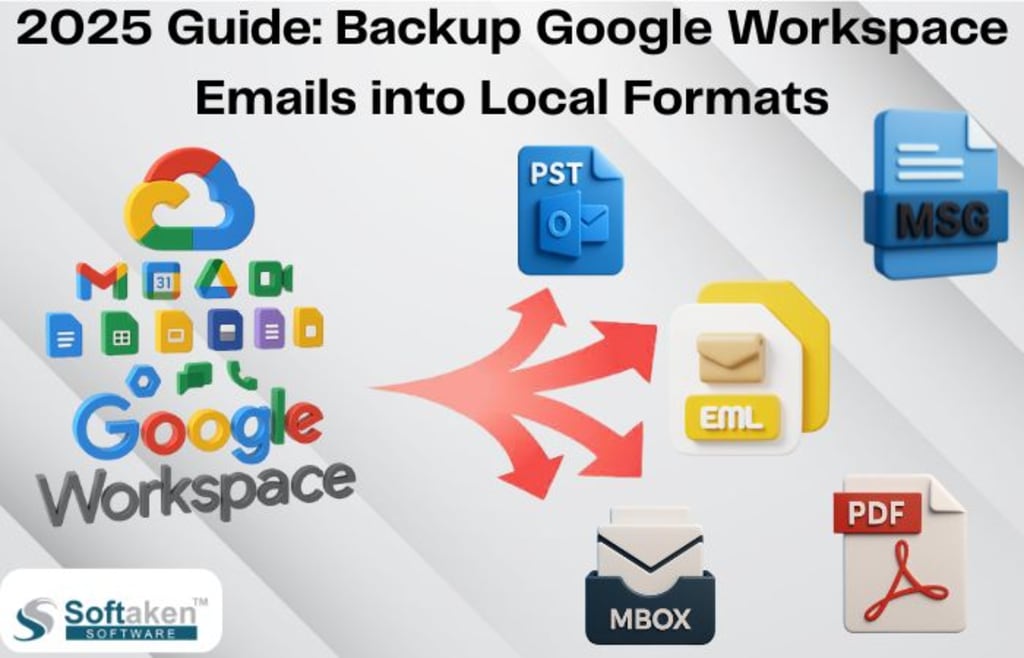
Google Workspace (previously known as G Suite) is now a key way for organizations, freelancers, and teams to talk to each other. Gmail, Drive, Docs, and other tools make it easy to get things done.
But what about the safety of your data?
Emails contain contracts, invoices, talks with clients, and other private project information. It can be hard to get your account back if you lose to it or mistakenly remove data. That's why it's not just a good habit to have access to a local backup; it's also a sensible way to protect your data.
In this tutorial from 2025, we'll show you why you should back up your Google Workspace emails and how to do it in simple, useful steps.
Why Back Up Google Workspace Emails?
Deletion by mistake: Some deleted emails may be gone forever after a certain amount of time, even if you have a trash folder.
Closing an account: You can lose access to your account if you get a new job or your membership ends.
Risks to Security: Cyberattacks, phishing, and hacks on your account can keep you from accessing your mailbox.
Rules for Keeping Data: For legal reasons, some organizations have to save emails on their servers.
You have full control over local backups. You can keep them on your computer, an external disk, or a safe server that isn't connected to the cloud.
Picking the Right Local Format
When you back up your Google Workspace emails, you will probably encounter these formats:
- PST works with Microsoft Outlook.
- MBOX works with a lot of email applications, such as Thunderbird and Apple Mail.
- EML saves one email at a time, making it easy to share quickly.
- PDFs are great for keeping records and for legal reasons.
It depends on how you want to use the data later, which one you choose. If you merely want to keep a searchable archive, MBOX can be a good choice. PST is ideal if you plan to open them in Outlook.
Methods to Backup Google Workspace Emails
1. Google Takeout (Manual Method)
You can export Gmail and other Workspace data with Google Takeout. This is how:
- Go to takeout.google.com.
- Log in with your Google Workspace account.
- Choose Mail (and any other programs you require).
- Pick the file type (typically MBOX).
- When the archive is available, download it.
Pros: It's a free service from Google.
Cons: Slow for large accounts, exports in MBOX only, no schedule for frequent backups.
2. Email Client Sync (Semi-Manual)
You can set up your Google Workspace account in Outlook, Thunderbird, or Apple Mail and then send your emails:
- Use IMAP to add your Gmail account to the email client.
- Allow it to sync all of your messages.
- Use the client's export or archive option, such as PST, MBOX, etc.
Pros: More options for formats and the ability to do partial backups.
Cons: You have to do it by hand, and if you don't do it often, you can miss fresh emails.
Smart Email Protection: Using Automated Backup Tools
An automated backup solution is a good alternative if you require regular backups without having to do them by hand all the time.
These tools can do:
- You can save emails in several formats, such as PST, MBOX, EML, and more.
- Set up backups to happen every day, week, or month.
- Pick certain folders or labels to conserve space.
- Save data on your computer or a server of your choice.
For instance, Softaken Google Apps Backup is a product that gives both people and IT teams options. It operates in the background without making any noise, so you can be sure that your most recent emails are always protected.
Closing Notes
Cloud storage is useful, but it's not perfect. Backing up your Google Workspace emails to a local drive gives you more protection. The most important thing is to start now, before you need it. You can use Google Takeout for a one-time export or an automated solution for ongoing protection.
Email is still an important business tool in 2025. Act like it is one. A little bit of work today could save you a lot of trouble tomorrow.
About the Creator
Patrick Myers
I'm Patrick Myers, a digital marketing strategist and content writer. I merge analytics with creativity to craft engaging content, boost SEO, enhance visibility, and drive results through innovation.
Keep reading
More stories from Patrick Myers and writers in 01 and other communities.
How do I Import Entourage 2008 into Outlook 2016? – Get Complete Solution
People are right when they say that Microsoft is always at the top of the list when it comes to software or services. Microsoft released Entourage, a unique email program that worked with Mac OS X, in October 2000. This email software, which used to be part of the Office suite, was finally taken off the market in 2008. A lot of people loved Entourage when it first came out because it had so many cool features. But as users' needs change, it can't keep up, which is why people wanted to be able to move Entourage 2008 into Outlook 2016.
By Patrick Myers7 months ago in 01
Power BI Dashboard Development Guide
Introduction: What Is Power BI Dashboard Development? Power BI dashboard development services help businesses transform raw data into visually engaging and interactive dashboards that support informed decision-making. A Power BI dashboard offers a consolidated view of key performance indicators (KPIs) and metrics, often across multiple datasets, enabling users to monitor trends, spot issues, and derive insights at a glance.
By Wahid Hussain25 minutes ago in 01
'Till Death We Do Art
There would be nothing divine in this world without art. Nature may surpass the divine to all intents and purposes, but like everything it absorbs and is absorbed by, it remains here, stuck on the surface of this world, ever-present, physically bound to the universe.
By Avocado Nunzella BSc (Psych) -- M.A.P 6 days ago in Art



Comments
There are no comments for this story
Be the first to respond and start the conversation.